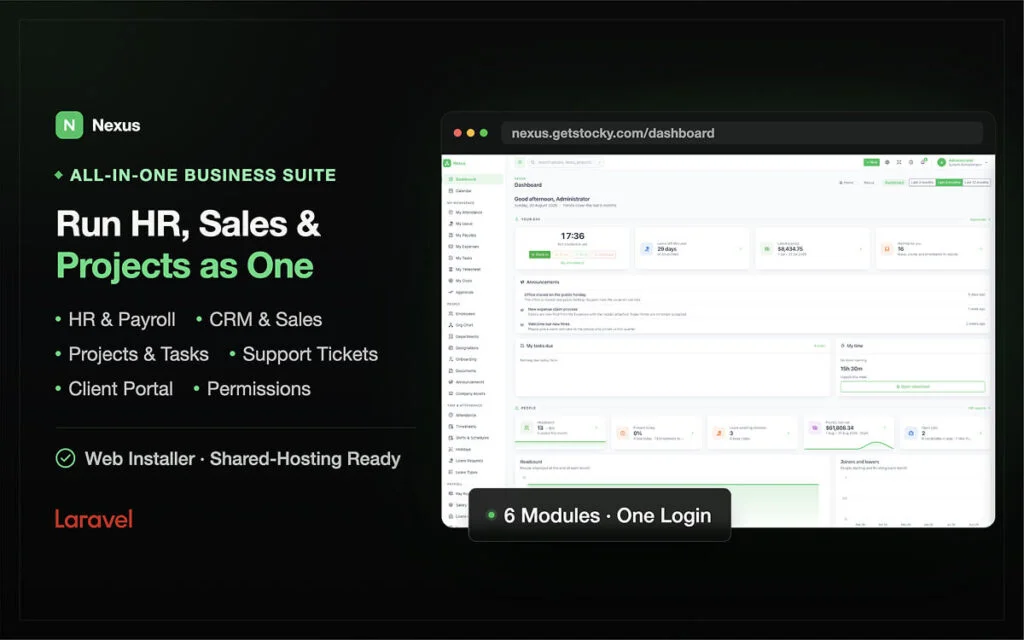
Femzap Nexus BMS (Website+Script)
$999.00
THIS IS A WEBSITE+SCRIPT PURCHASE
Femzap Nexus (BMS) Business Management System
One business management system. Six modules. No monthly fees.
Stop paying every month for a patchwork of separate tools. Femzap Nexus BMS brings the core of your business into one system, so your people, projects, customers and money all work from the same information.
What’s inside
- Admin Module: Set up your company, control who can see and do what, and keep the whole system under your command.
- HR Module: Manage your team’s records and day-to-day HR work in one place.
- Project Management Module: Plan work, assign tasks and follow progress from start to finish.
- CRM & Sales Module: Keep track of leads and customers, and move deals through your sales pipeline.
- Accountant Module: Handle your books, invoices and financial records with clarity.
- Employee Module: Give every team member their own space to see their tasks and manage their own details.
Why Nexus BMS
- No monthly fees. You buy it, and it’s yours to use. There’s no subscription to keep paying.
- Everything connected. Your HR, projects, sales and accounts share one system, so there’s no re-entering the same data in different tools.
- Built for the whole team. Owners, managers, accountants and employees each get the view they need.
Get Femzap Nexus BMS today and run your entire business from one place.

- Description
-
Features
Admin Module
The Admin Module covers installation, access control, company settings, integrations and system safety.
- Web installer: a six-step browser wizard (requirements check, company, database with a Test connection button, administrator account, optional 12-person demo data, review and install). Nothing is written until the last step, and the installer seals itself afterwards.
- Roles and permissions: 12 permission sections, 7 starting roles, per-person tick boxes, and server-side route checks that return a 403 even if someone types a URL.
- User control: deactivating a person blocks sign-in at once and revokes their API tokens, while keeping everything they did.
- Locations: offices, sites or countries, with holidays declared per location and reports that filter by location.
- Dashboard: built only from what each person may see, with Mine, People, Commercial and Delivery views and period-on-period change on headline figures.
- Global search: one search box across employees, candidates, job openings, leads, deals, contacts, companies, invoices, tickets, projects and tasks, filtered by permission.
- Shared calendar: leave, holidays, training, interviews, birthdays, CRM activities, invoice due dates, task due dates and milestones.
- Notifications: ten events, each with an always-on bell alert and an optional email, plus an optional admin copy address.
- Mail settings: SMTP, sendmail or log mode, with a Send test email button. Changes apply immediately without a restart.
- Activity log: every state change recorded with who, what, when, source address and record, including failed emails.
- REST API: versioned
/api/v1with bearer tokens, scoped to the same permissions as the owner, hashed storage, per-token rate limits and a uniform response shape. - Languages and theming: 8 complete languages (English, French, Spanish, German, Portuguese, Turkish, Hindi, and Arabic with full right-to-left layout), a built-in translation editor, light, dark and system themes, accent colours, your own logo and company details on printed documents.
- Backups and updates: one-click SQL backup written in pure PHP, update by file copy and migration, and a no-shell update route through the installer.
- Demo mode: one-click demo sign-in tiles and a Reset demo data button, with a 12-person sample company.
- Built for shared hosting: no cron, queue worker, Redis, websockets, Node on the server or
exec()access needed.
HR Module
- Employee directory: one record per person with manager, department, designation, location, hire date, employment type, probation end, salary, contact and bank details. Employee codes are generated from a prefix and never reused. Record tabs cover profile, attendance, leave, documents, assets, salary, goals and reviews.
- Departments and designations: optional department head and parent, and neither can be deleted while someone is in it.
- Org chart: the reporting tree drawn from the manager field.
- Leavers: a leave date removes the person from headcount, rosters and pay runs while keeping their history.
- Onboarding checklists: reusable task templates with due dates counted from the start date, attachable when a candidate is hired.
- Documents: contracts, certificates, ID and right-to-work papers with categories and expiry dates, plus an expiring-in-30-days view.
- Announcements: company notices scoped by department or location, pinnable, with drafts hidden.
- Company assets: laptops, phones, keys and cars, with full assignment history and a current-holdings list for leavers.
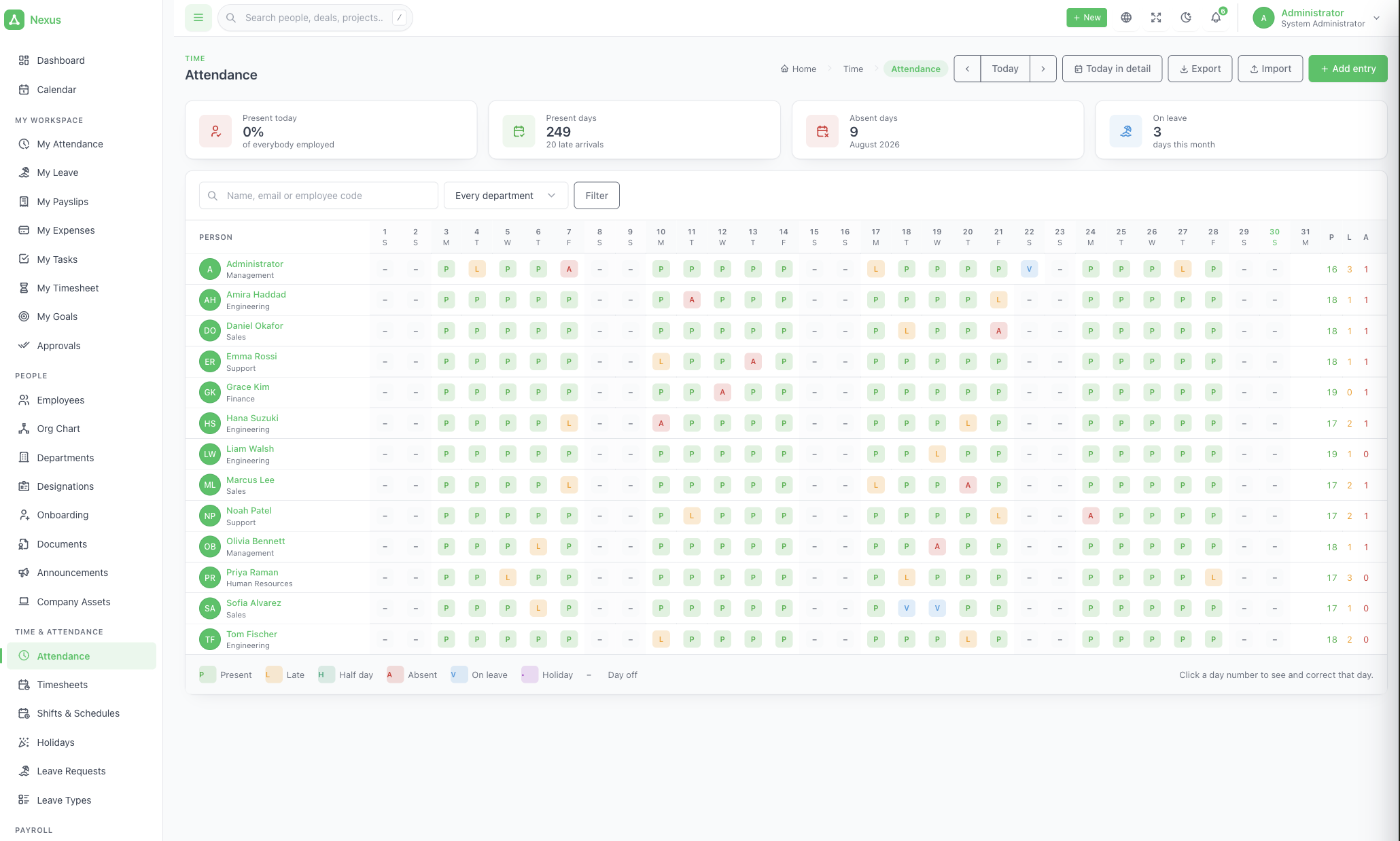
- Attendance: a monthly grid with clock in, break start, break end and clock out; manual entry; API posting from devices or apps; statuses of present, late, half day, absent, on leave and holiday; CSV import and export.
- Timesheets: weekly sheets built from attendance (draft, submitted, approved). Only approved sheets feed payroll.
- Shifts and rosters: named shift patterns, weekly roster assignment, and per-location holidays that affect leave counting, absences and pay.
- Leave: policy-based leave types (paid or unpaid, accrual or allocation, carry-over, attachments, minimum notice), balances with manual adjustments, working-day counting with half days, approvals from the leave screen, queue or email, and a team leave calendar.
- Payroll: salary components (fixed or percent of basic), monthly, weekly or hourly structures, draft, approved and paid pay runs, payslips with overtime, expenses, unpaid leave and loan instalments, printable and emailable payslips. There is no tax engine; tax and social contributions are set up as deduction components.
- Loans and advances: instalments deducted on each paid run, with balances shown on the payslip.
- Expense claims: category, amount, date, note and receipt, moving from pending to approved or declined to paid, with reimbursement through the next pay run.
- Recruitment: job openings, a candidate kanban (new, screening, interview, offer, hired, rejected), source tracking, CV files, ratings, interviews with a panel and calendar entry, scored feedback per interviewer, and a Hire action that creates the account and employee code.
- Careers page: a public
/careerspage with one page per opening and an application form, themed and translated. - Performance: goals and OKRs with key results and nesting, review cycles with self and manager reviews scored 1 to 5, training courses with attendance, and warnings with employee acknowledgement.
- HR reports: headcount, joiners and leavers, attendance, leave, payroll, recruitment funnel and expense claims, each downloadable as CSV.
Project Management Module
- Projects: name, code, client company and contact, category, owner, period, status, priority, budget and colour. Progress is calculated from completed tasks.
- Billing setup: billable flag, project hourly rate, and optional per-member rates that override it.
- Per-project access: each member is a viewer, member or manager, so a contractor sees only the projects they were added to.
- Tasks: title, description, status, priority, assignees, start and due dates, hour estimate, labels and milestone, with custom statuses, labels and categories.
- Four views: list, board (drag and drop), Gantt with dependencies, and calendar.
- Subtasks, dependencies and recurring tasks: a blocked task cannot be finished while its blocker is open, and recurring tasks spawn the next one when completed.
- Notifications and logging: assignment and comment alerts, status changes logged, project progress refreshed on completion.
- Milestones: dated markers that show completion of the tasks tied to them, on the Gantt and shared calendar.
- Sprints: period, goal, task set and a burndown chart that stops at today.
- Issues: bugs with severity, reporter, assignee, reproduction steps and environment, linkable to a fixing task.
- Project tabs: discussions, notes, files, and expenses marked billable or not.
- Time tracking: start and stop timer (one at a time per person) or manual entries, rounding to a set block (15 minutes by default), billable flag, optional approval, and CSV export.
- Workload: estimated open hours per person per week against capacity, with shared estimates split between assignees and over-capacity weeks highlighted.
- Project templates: milestones and tasks stored as date offsets, applied from a chosen start date.
- Invoice time: collects approved, unbilled billable time and expenses, previews them, and creates a draft invoice with one line per person per task. Entries are stamped as billed so nothing is invoiced twice.
- Project reports: projects by status, tasks completed per week, on-time rate, hours by project and person, billable against non-billable, estimate against actual, workload grid, sprint velocity and issues by severity.
CRM & Sales Module
- Leads: name, company, email, phone, source, status, value and owner, with custom statuses and sources, email from templates, CSV import and export, and one-step conversion into a contact, company and deal.
- Deals and pipelines: multiple pipelines with ordered stages, colours and probabilities (default six stages), a weighted forecast, a drag-and-drop board with column totals, Won and Lost with a lost reason, and Reopen.
- Deal page: activities, quotes, comments and files in one place, with every move logged and owner handover notifications.
- Companies and contacts: account views that tie together deals, quotes, invoices, contracts and tickets.
- Activities: calls, meetings, emails and to-dos with due dates and owners, shown on the shared calendar and as a timeline.
- Campaigns: type, period, budget, actual cost and owner, with leads, deals, wins and revenue attributed against spend.
- Email templates: merge fields for contact, company, deal, user and application data, with a Preview using real data.
- Web-to-lead forms: public URLs with unguessable keys that can be shared or embedded, with a Regenerate button that kills the old link.
- Support tickets and SLA: numbered tickets, open, pending, resolved and closed statuses, automatic reopen on a client reply, SLA clocks per priority (urgent 2 hours, high 8, medium 24, low 72 by default), breach badges, public replies and internal notes, and canned replies.
- Knowledge base: public or internal articles with categories, slugs and view counts.
- Client portal: a separate
/portallogin where clients read invoices, accept or decline quotes, sign contracts, raise tickets and manage their profile. It is rate limited, shows each client only their own company’s documents, and can be switched off. - Products and services: name, SKU, unit, price, cost and tax, used to pick quote and invoice lines.
- Sales reports: leads by status, deals by stage with weighted value, conversion rate, won and lost per month, revenue per month, aged receivables, top customers, performance by owner, ticket volume and SLA, and campaign results.
Accountant Module
- Invoices: draft, sent, partial, paid, overdue and cancelled. The due date comes from your payment terms, and unpaid invoices past it show as overdue automatically.
- Line editor: quantity, price, discount and tax per line, plus a document-level discount spread across lines, with a running total that matches the server exactly.
- Quote to invoice: converting an accepted quote copies its lines, discount and tax into a linked draft invoice.
- Recurring invoices: an Issue due invoices button advances each recurring parent one period per press, so pressing it twice never double-bills.
- Payments: record amount, date, method and reference against an invoice. Part payments move the invoice to partial, then paid.
- Receipts list: filter by method and date to see what came in this month.
- Aged debt: receivables grouped as not yet due, 0 to 30, 31 to 60, 61 to 90 and 90+ days, plus top customers by invoiced and paid.
- Printable documents: A4 invoices and quotes with your logo, legal name, terms and footer.
- Project billing: turns approved, unbilled billable time and expenses into a draft invoice and marks them as billed.
- Payroll: salary components, pay runs (draft, approved, paid), payslips built from attendance, overtime, expenses, unpaid leave and loan instalments, and frozen figures once approved.
- Loans, advances and expense claims: instalments taken per paid run, approved claims reimbursed on the payslip, and each claim paid only once.
- Financial reports: payroll gross, deductions and net per month, revenue per month, invoiced against received, outstanding and overdue balances, and expense claims by category and status, all exportable as CSV.
- What it does not do: no payroll tax engine, no payment gateway, and no double-entry accounting. Payments record money that reached your bank, and reports export to your accountant’s own tools.
Employee Module
Every signed-in person gets these screens whatever their role, and everything in them is scoped to themselves.
- Employee dashboard: clock state, leave balance, tasks due, and what is waiting for their approval.
- My Attendance: clock in and out, start and end breaks, the month’s grid and the running weekly total.
- My Leave: balances per type, request history, new requests, and cancelling anything still pending.
- My Payslips: every payslip from a paid run, printable.
- My Expenses: file a claim with a receipt and follow it through approved and paid.
- My Timesheet: edit the week’s daily minutes, then submit for approval.
- My Tasks: every task assigned to them across all projects, sorted by due date.
- My Goals: their own goals, with a slider to move progress.
- Reviews and warnings: complete self reviews and acknowledge warnings issued to them.
- Approvals queue (managers): anyone with direct reports gets one queue with tabs for leave, timesheets and expense claims. It needs no HR permission and applies the same rules as the module screens.
- Shared calendar, announcements and notifications: team leave, holidays, birthdays and company notices aimed at them, with a bell and optional email alerts.
- Mobile clock-in through the API: a small app can clock in and file leave for its owner without being given directory access.
- Personal settings: language (8 available, including right-to-left Arabic) and theme (light, dark or system, accent colour, corner radius) chosen per person.
Roles and Permissions
Nexus has 12 permission sections, set as tick boxes on each person’s record, and 7 starting roles that pre-tick sensible boxes. A role is a starting point, so an administrator can tick and untick from there.
Permission sections by module
Permission section Module Covers (inferred from the section name) employees HR Directory, departments, org chart, onboarding, documents, assets attendance HR Attendance grid, timesheets, shifts, rosters leave HR Leave types, balances, team leave calendar payroll HR and Accountant Salary components, pay runs, payslips, loans recruitment HR Job openings, candidates, interviews, careers page performance HR Goals, reviews, training, warnings crm CRM & Sales Leads, contacts, companies, deals, campaigns sales CRM & Sales and Accountant Products, quotes, invoices, payments, contracts support CRM & Sales Tickets, SLA, canned replies, knowledge base projects Project Management Projects, tasks, sprints, issues, time, templates reports All modules HR, Sales and Projects reports settings Admin Company, mail, languages, theming, backups, API tokens The 7 starting roles
Role Closest module What the source says Administrator Admin The account created in the installer gets this role HR HR Dashboard shows headcount and who is off today Manager Employee Anyone with direct reports gets an approvals queue without needing HR access Sales CRM & Sales Dashboard shows pipeline and revenue Project manager Project Management Dashboard shows delivery Accountant Accountant Not described in the source; matched by name Employee Employee Self-service screens only Access that needs no permission section
- Self-service: every signed-in person sees their own attendance, leave, payslips, expenses, timesheet, goals and tasks, always limited to themselves.
- Manager approvals: anyone with people reporting to them can approve leave, timesheets and expense claims for those reports.
- Per-project access: project members are viewer, member or manager on that project only, even with no projects permission.
- Client portal: clients use a separate
/portallogin and see only their own company’s documents. Staff never use it.
How permissions are enforced
- Route-level guard: a hidden menu link is only presentation. Typing a URL you may not open returns a 403.
- Dashboard and search: both only compute and show what the person may see.
- API tokens: a token can never do more than its owner, and loses permissions the moment the owner does.
- Deactivation: blocks sign-in at once and revokes API tokens, while keeping the person’s history and name on their records.
- Sensitive data: warnings sit behind the performance permission, so a colleague who can read the employee directory cannot read them.
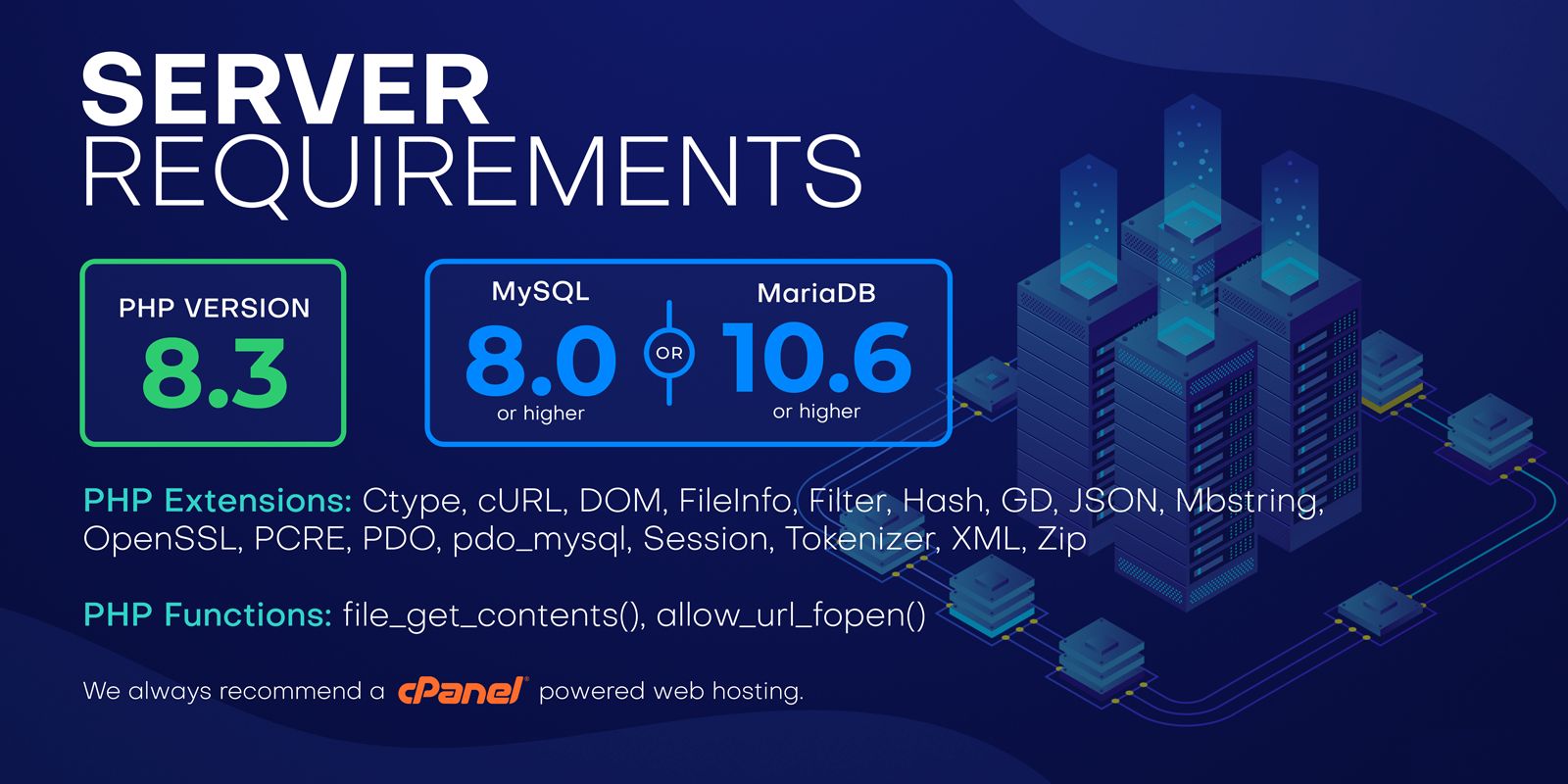
Server requirements
- PHP 8.3 or newer
- MySQL 8.0+ or MariaDB 10.6+
- Apache or Nginx with URL rewriting
- Extensions: openssl, pdo, pdo_mysql, mbstring, tokenizer, xml, ctype, json, bcmath, fileinfo, curl, gd
- Writable .env, storage/, bootstrap/cache/ and public/uploads/
- The domain pointed at public/ — and if your host will not allow it, the shipped .htaccess and server.php cover that case
Languages, RTL & theming
- 8 languages ship complete — English, French, Spanish, German, Portuguese, Turkish, Hindi and Arabic in full right-to-left: layout, icons, tables and charts.
- No English language file exists, deliberately. Every string in the source is its own English text, so an untranslated product reads as English by construction and a missing translation degrades to readable English rather than to messages.save.
- A built-in translation editor. Because there is no template to hunt for, the screen simply lists every string in the product with its translation beside it. Filter to the untranslated ones and type. Download hands a JSON file to a translator, Upload merges it back, Prune drops strings that no longer exist, Enable puts the language in the switcher.
- Adding a ninth language is one entry in a config file plus typing. No developer required.
- Theming — light, dark and system, accent colour presets and a corner radius, chosen per person in their own browser and changing nothing for anybody else. Your logo, favicon, legal name and address throughout, including on printed documents. Built on Tabler, so it is clean and dense from a phone up to a wall screen.
Technical
- Framework — Laravel 13
- PHP — 8.3+ (8.3 and 8.4 both tested)
- Database — MySQL 8.0+ / MariaDB 10.6+
- UI — Tabler 1.4, Tabler Icons
- JavaScript — Alpine.js 3, Chart.js 4, SweetAlert2 — no SPA framework
- Build — Vite 8 (compiled assets ship inside the package — no build step to deploy)
- Architecture — One users table as the person; HR, CRM and Projects in their own namespaces, with the rules — accruals, payroll maths, pipeline weighting, task scheduling — in service classes rather than controllers
- Extras — Web installer, REST API with scoped tokens, CSV import and export, printable documents, public client links
- Tests — Feature test suite over the permission model, each state change, and the calculations
Server requirements
- PHP 8.3 or newer
- MySQL 8.0+ or MariaDB 10.6+
- Apache or Nginx with URL rewriting
- Extensions: openssl, pdo, pdo_mysql, mbstring, tokenizer, xml, ctype, json, bcmath, fileinfo, curl, gd
- Writable .env, storage/, bootstrap/cache/ and public/uploads/
- The domain pointed at public/ — and if your host will not allow it, the shipped .htaccess and server.php cover that case
- Reviews (0)
-
- Script Installation
-
SCRIPT ONLY PURCHASE
- In 30 minutes, your script will be prepared and delivered to your email for download
- Buy and Self host: You can purchase any of our script and install on your server
- Free Installation for you by our developers
- Lifetime License - You own it forever - no subscription.
- 1 Month Free Support
WEBSITE + SCRIPT PURCHASE
- We build a SEO ready-made website with the script for you
- Premium Wordpress theme
- 1 Year FREE .com domain name
- 1 Year FREE hosting plan
- 6 Month Free Support
- Delivery time 7-10 days.
- Lifetime License - You own both website and script forever - No Subscription.
ORDER PROCESS
If you do not get your Script-only purchased product in 30 minutes after your order is completed, please kindly Send a quick note to support@femzap.com with your order number. We will swing into action immediately to ensure your script is delivered to your inbox

Reviews
There are no reviews yet.